

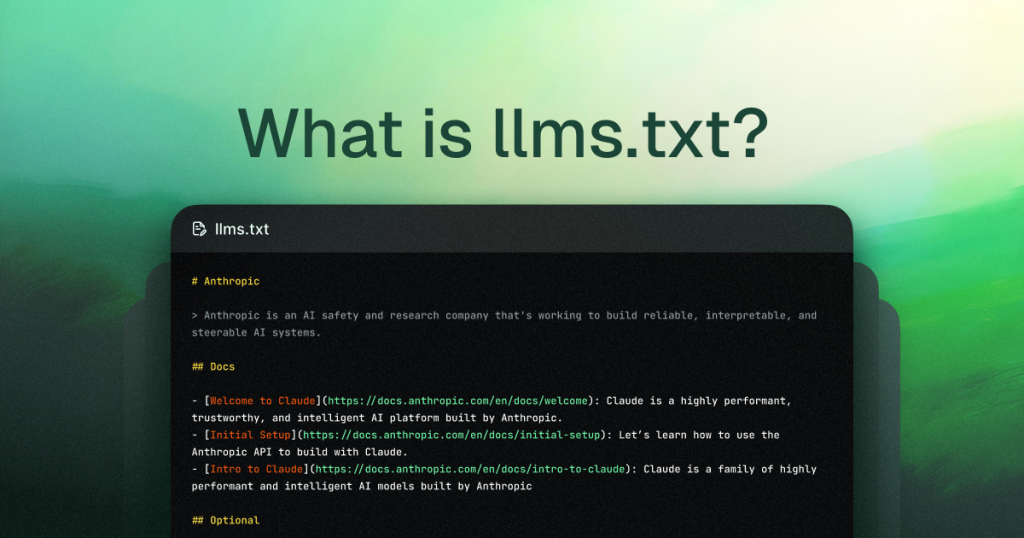
In the rapidly evolving landscape of search and content discovery, a new, quiet standard is emerging that every website owner needs to understand. While you’ve likely spent years optimizing for Googlebot and other traditional search crawlers, a new class of digital visitors is now scouring the web: AI crawlers from companies like OpenAI, Google, and Anthropic. These bots are not indexing your site for search results in the conventional sense; they are ingesting your publicly available content to train the next generation of large language models (LLMs) like ChatGPT, Claude, and Gemini.
The critical question is: do you have any say in how your content is used? For a long time, the answer was effectively “no.” Your public website was considered fair game for data collection. This is changing with the introduction of LLMs.txt, a simple yet powerful file that gives you a voice in the AI training process. This blog post will demystify LLMs.txt, explain why it has become a priority, and help you decide if implementing one is the right strategic move for your website’s future in an AI-driven world.
What is LLMs.txt?
LLMs.txt is a standardized text file that website owners place at the root of their domain to communicate permissions to AI and large language model crawlers. Functioning as a consent layer for the AI age, it tells bots whether they are allowed to read and use the site’s content for training their models.
The Core Definition and Purpose
Think of llms.txt as the specialized counterpart to the familiar robots.txt file. While robots.txt governs how search engine crawlers index your site for search results, llms.txt controls how AI crawlers learn from your site for model training.
Its primary purpose is to establish clear, machine-readable rules about data usage. By creating this file, you move from a passive position—where your content can be taken by default—to an active one, where you explicitly grant or deny permission. This is crucial because the data collected by these crawlers shapes the knowledge, responses, and capabilities of the AI tools millions of people use daily.
What It Controls
The directives within an LLMs.txt file allow you to manage several key aspects:
-
Crawler Access: You can specify which AI bots (e.g., GPTBot, Google-Extended, ClaudeBot) are allowed to access your site.
-
Training Consent: You define whether the content they crawl can be stored and used to train or improve AI models.
-
Participation in AI Outputs: Your rules influence whether your brand’s information and expertise are referenced in AI-generated answers and summaries.
-
Transparent Policy: The file serves as a public, transparent record of your preferences regarding AI data use.
Adoption by AI Leaders
The protocol gained legitimacy through adoption by major AI companies. In response to growing copyright and ethical concerns, leaders like OpenAI (with GPTBot), Google (with Google-Extended), and Anthropic (with ClaudeBot) began to recognize and respect the llms.txt file. This created a de facto standard, offering a unified way for publishers to express their wishes across different AI platforms. While not every AI data collector honors it yet, its support by the most influential players makes it an essential tool for modern web governance.
In essence, LLMs.txt is more than a technical file; it is a statement of boundaries and preferences in the new data economy shaped by artificial intelligence. It doesn’t affect your traditional search engine rankings, but it fundamentally shapes your relationship with the AI ecosystems that are increasingly mediating how users find and interact with information.
Why is LLMs.txt a Priority Now?
The urgency around implementing an LLMs.txt file stems from a fundamental shift in how the web is being used. For decades, public websites were primarily crawled to be indexed for human searchers. Today, they are increasingly crawled to be ingested as training data for artificial intelligence. This shift creates immediate practical and strategic concerns for website owners.
The Scale of AI Data Collection
AI companies are in a continuous race to build more capable, knowledgeable, and up-to-date models. To do this, they require enormous datasets—often sourced from the public web. Crawlers like GPTBot, ClaudeBot, and CCBot (from Common Crawl) systematically scan millions of websites, absorbing text, code, and media. Until recently, this process operated under ambiguous terms of use, leaving website owners with little recourse if they preferred their content not be used in this way. Your content is likely already part of this ecosystem by default; LLMs.txt provides the tool to change that default setting.
The Industry Shift Towards Consent and Control
A significant driver for LLMs.txt’s priority is the responsive move by AI leaders themselves. Facing legal, ethical, and public relations questions about data ownership, companies like OpenAI and Google introduced formal opt-out mechanisms.
-
OpenAI led the way by launching GPTBot and publicly announcing that it would respect directives in a
robots.txtfile. This set a precedent for specialized control. -
Google followed with Google-Extended, a dedicated user-agent that allows publishers to manage whether their content helps improve Bard and future Vertex AI models.
This shift signifies a critical transition from a “take-first” approach to a “consent-based” framework. LLMs.txt is emerging as the standardized file for expressing that consent, making it a proactive step for any responsible site owner.
Strategic Visibility in AI Search
Perhaps the most compelling reason to prioritize LLMs.txt now is the rise of Search Generative Experience (SGE) and AI-powered answer engines. Tools like ChatGPT, Bing Chat, and Google’s AI Overviews directly synthesize information from their training data to answer user queries. If your content is blocked from training, it may not inform these AI-generated answers, potentially making your brand invisible in this new discovery channel. Conversely, allowing access could strengthen your authority and visibility within AI outputs. Implementing LLMs.txt is no longer just about defense; it’s a core strategic decision for your future visibility in AI-driven search.
How LLMs.txt Works
Implementing an LLMs.txt file is a straightforward technical process, but understanding its mechanics is key to using it effectively. It functions on a simple principle of communication between your server and compliant AI crawlers.
Technical Placement and Structure
The file must be a plain text document named exactly llms.txt and placed in the root directory of your website (e.g., https://www.yourdomain.com/llms.txt). This mirrors the standard location of robots.txt, making it predictable for crawlers to find.
The structure inside the file uses a simple directive-based syntax, familiar to anyone who has configured a robots.txt file. Each rule consists of two lines:
-
User-agent:Specifies the AI crawler the rule applies to (e.g.,GPTBot,Google-Extended). -
Allow:orDisallow:Specifies whether that crawler is permitted to access your site for training purposes.
Syntax and Directive Examples
You can define rules for specific bots or set a universal rule. Here are common configurations:
-
To block all recognized AI crawlers from using your content:
User-agent: *
Disallow: /
-
To allow all recognized AI crawlers:
User-agent: *
Allow: /
-
To set granular permissions for specific bots: (Example: Block OpenAI but allow Google)
User-agent: GPTBot
Disallow: /

User-agent: Google-Extended
Allow: /
Crawler Recognition and Compliance
The system only works if AI companies program their crawlers to look for and respect the llms.txt file. A growing number of major players now do:
| User-Agent | Operated By | Primary Use |
|---|---|---|
| GPTBot | OpenAI | Training models like ChatGPT |
| Google-Extended | Improving Bard & Vertex AI models | |
| ClaudeBot | Anthropic | Training the Claude AI model |
| CCBot | Common Crawl | Building open web datasets used by many AI models |
| PerplexityBot | Perplexity AI | Training its conversational search engine |
When one of these compliant crawlers visits your site, its first step is to request the llms.txt file. It then parses the directives and obeys them. If the file is missing, the crawler will typically proceed under its own default policy, which is usually to crawl and train.
Key Distinction from Robots.txt
It is vital to understand that llms.txt and robots.txt control different processes.
-
robots.txtinstructs search engine crawlers (Googlebot, Bingbot) on what to index for organic search results. Disallowing here hurts your SEO. -
llms.txtinstructs AI model crawlers on what to learn from for model training and AI answers. Disallowing here protects your IP but may reduce AI search visibility.
They are complementary files, and for full control, a modern website should consider using both.
LLMs.txt vs Robots.txt: What’s the Difference?
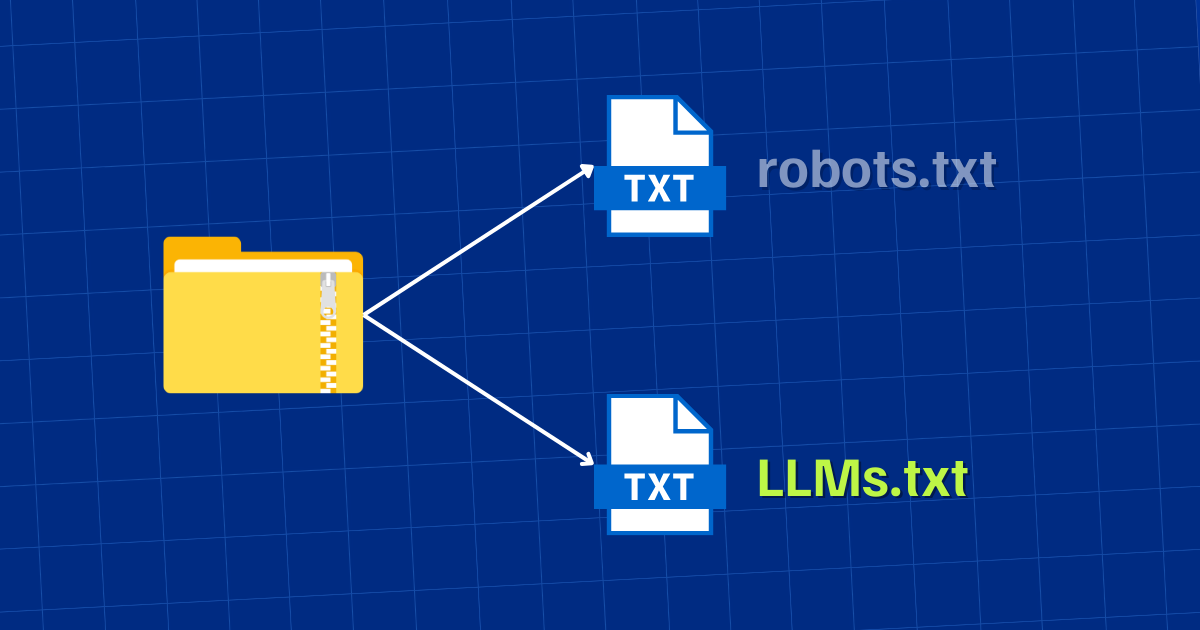
While llms.txt and robots.txt are both plain text files placed in a website’s root directory to instruct automated crawlers, they serve fundamentally different masters and purposes in the digital ecosystem. Understanding this distinction is crucial for implementing the correct controls.
Core Purpose and Function
The primary difference lies in their ultimate objective:
-
Robots.txt is a crawling and indexing directive. Its job is to manage server load, protect private areas, and guide search engine bots on what pages to add to their organic search indexes. It directly influences traditional SEO visibility.
-
LLMs.txt is a data usage and training directive. Its job is to provide a consent mechanism for whether a site’s content can be read, stored, and used to train or improve artificial intelligence models. It influences presence in AI-generated outputs.
Target Audience: Different Crawlers, Different Goals
Each file communicates with a distinct set of bots with different missions:
| Aspect | Robots.txt | LLMs.txt |
|---|---|---|
| Primary Target | Search Engine Crawlers (e.g., Googlebot, Bingbot) | AI/LLM Training Crawlers (e.g., GPTBot, Google-Extended) |
| Core Instruction | “You may/cannot index this for search results.” | “You may/cannot learn from this for model training.” |
| Direct Impact On | Organic search ranking & visibility. | AI model knowledge & inclusion in AI answers (e.g., ChatGPT, SGE). |
| File Name & Location | https://yourdomain.com/robots.txt |
https://yourdomain.com/llms.txt |
A Complementary Relationship, Not a Replacement
It is essential to understand that LLMs.txt does not replace robots.txt. They are complementary tools for comprehensive web governance. A page disallowed in robots.txt will not be indexed for search, but an AI crawler that respects llms.txt could still potentially access and train on it if allowed. Conversely, a page allowed for Googlebot might be explicitly blocked from Google’s AI training via llms.txt.
Analogy: Think of your website as a bookstore.
-
Robots.txt is the sign that tells the library cataloger (Googlebot) which shelves they are allowed to record in the public catalog (search index).
-
LLMs.txt is the agreement with a school (OpenAI, Google) that specifies whether its students (AI models) can photocopy pages from your books to study and learn from (model training).
In the modern web landscape, where content can be used for both human search and machine learning, a forward-thinking site owner needs to manage both access points independently.
Should You Use LLMs.txt for SEO?
The relationship between LLMs.txt and SEO is indirect but increasingly significant. It does not provide a direct ranking boost in Google’s core search algorithm. However, it is a critical strategic SEO asset for the future, impacting how and where your content appears in the evolving search experience.
The Indirect SEO Impact: Visibility in AI-Generated Answers
Traditional SEO focuses on ranking in the “10 blue links.” The rise of Search Generative Experience (SGE), AI Overviews, and AI-powered assistants is creating a new “position zero” within the search results page—a synthesized answer generated by an LLM.
-
If you ALLOW crawling via LLMs.txt: Your content becomes eligible to be used as source material for these AI-generated answers. This can lead to brand visibility, authority attribution, and traffic from users who engage with the AI snapshot, even if they don’t click through to the traditional organic listings.
-
If you DISALLOW crawling via LLMs.txt: You protect your content but likely render it invisible to these AI answer engines. Your content won’t be used to train the model that powers them, reducing your brand’s footprint in a rapidly growing segment of search.
The Decision Framework: To Use or Not to Use?
The decision is not purely technical; it’s a content and business strategy decision. Here’s a framework to guide your choice:
You Should Prioritize Implementing an LLMs.txt File (and likely ALLOW access) if:
-
Your goal is brand visibility and thought leadership in emerging AI-driven search interfaces.
-
You publish educational, informational, or news content that benefits from being widely cited as a source.
-
Your business model relies on organic traffic and you want to ensure visibility across all future search formats.
-
You have no significant proprietary or sensitive information exposed on public pages.
You Should Prioritize Implementing an LLMs.txt File (and likely DISALLOW access) if:
-
Your website contains proprietary data, confidential research, or unique intellectual property that is publicly posted but forms your competitive advantage.
-
You operate in a highly regulated industry (finance, health, legal) where data usage compliance is paramount.
-
Your content is behind a paywall or login, but you want an extra layer of protection against accidental scraping of gated snippets.
-
You simply do not consent to your creative work being used to train commercial AI models without compensation or agreement.
You Could Consider a Granular Approach:
Use specific User-agent directives to allow some crawlers (e.g., Google-Extended) while blocking others (GPTBot), tailoring your strategy based on trust in different AI companies or their stated data usage policies.
Who Actually Needs LLMs.txt?
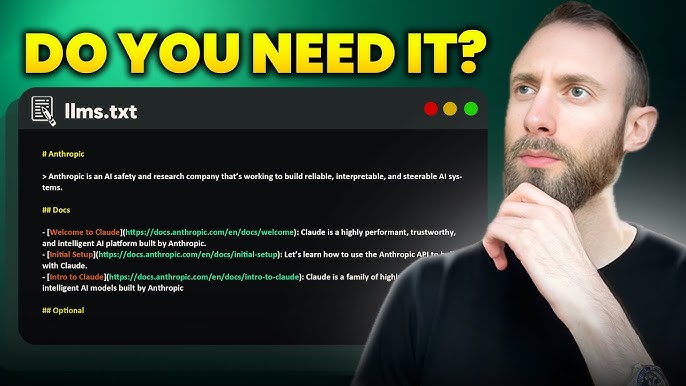
While any website can implement an LLMs.txt file, certain types of sites and organizations have more urgent or critical needs for this control mechanism. The decision often hinges on the nature of the content, the business model, and long-term digital strategy.
1. Content-Heavy Publishers and Educators
Websites whose primary asset is publicly accessible information—such as news organizations, digital magazines, educational institutions, bloggers, and documentation hubs—have a significant stake in how their content is repurposed. For them, LLMs.txt is essential for:
-
Defining Licensing Boundaries: Asserting control over how their creative work is used in commercial AI training datasets.
-
Managing Attribution: Ensuring their brand and expertise remain associated with the information they produce when it’s referenced by AI.
-
Strategic Choice: Deciding whether to be a foundational knowledge source for AI (by allowing access) or to protect journalistic or academic integrity by restricting it.
2. Businesses with Proprietary or Competitive Content
Companies that publish unique research, detailed industry analyses, proprietary methodologies, or sophisticated technical documentation are prime candidates for a restrictive LLMs.txt file. This includes:
-
Research Firms and Analyst Houses: Their paid reports and insights are their product; allowing AI to internalize and redistribute this devalues their offering.
-
SaaS Companies: Public API documentation, advanced usage guides, and troubleshooting knowledge bases can represent a competitive advantage.
-
Any Business with a “Secret Sauce”: Publicly explaining your unique process or framework is good for marketing, but you may not want an AI to replicate and offer it freely.
3. SEOs and Digital Strategists Planning for AI Search
For professionals steering a brand’s online visibility, LLMs.txt is a necessary tool in the toolkit. It’s no longer just about ranking for keywords; it’s about securing visibility in AI-generated answers (SGE, AI Overviews). Implementing and strategically configuring LLMs.txt is a proactive step to ensure a brand’s content is eligible to be a source for these experiences, protecting future organic traffic streams.
4. Industries with Strict Compliance and Privacy Mandates
Sectors like finance, healthcare, and legal services operate under stringent regulations (e.g., GDPR, HIPAA). While sensitive user data should never be on public pages, these sites often host general advice, disclaimers, or regulatory updates. A restrictive LLMs.txt policy provides an additional, clear layer of data governance, ensuring that even public-facing informational content isn’t ingested into AI models in a way that could create unintended compliance risks or liabilities.
In summary, if your website’s content is either a valuable asset you wish to protect or a strategic tool for gaining visibility in new AI platforms, you need an LLMs.txt file. For simple brochure websites with only general contact information, the need is less urgent, but implementing one is still a best practice for future-proofing.
How To Set Up an LLMs.txt File
Creating and deploying an LLMs.txt file is a simple, four-step process that requires no specialized software. Here’s a detailed guide.
Step 1: Create the Text File
Open any plain text editor on your computer (like Notepad on Windows or TextEdit on Mac—ensuring it’s in plain text mode). Do not use a rich text editor like Microsoft Word, as it can add hidden formatting.
Step 2: Define Your Directives
This is where you set your rules. Start with a comment line (optional but recommended) to explain the file’s purpose, then add your User-agent and Allow/Disallow rules.
Common Configurations:
-
To Allow All AI Crawlers:
# LLMs.txt - This site allows content to be used for AI model training.
User-agent: *
Allow: /
-
To Block All AI Crawlers:
# LLMs.txt - This site does not permit content to be used for AI training.
User-agent: *
Disallow: /
-
Granular Control (Example: Block OpenAI but Allow Google):
# LLMs.txt - Granular AI training permissions.
User-agent: GPTBot
Disallow: /

User-agent: Google-Extended
Allow: /
Step 3: Upload to Your Root Directory
The file must be named llms.txt and placed in the root directory of your primary domain (e.g., https://www.yourdomain.com/llms.txt). You can typically do this via:
-
FTP/SFTP Client: Connect to your server and upload the file to the main folder (often called
public_html,www, orhtdocs). -
Web Hosting File Manager: Most cPanel or admin panels have a “File Manager” tool for direct uploads.
-
Content Management System (CMS): Plugins or direct server access may be needed for CMS platforms. For WordPress, security or SEO plugins are beginning to add this functionality, or you can use an
llms.txtplugin.
Step 4: Verify and Monitor
-
Verification: Open a browser and navigate to
https://yourdomain.com/llms.txt. You should see the plain text of your file. If you get a 404 error, the file is in the wrong location. -
Monitoring: Check your website’s server logs or analytics for crawler traffic. Look for the user-agents listed earlier (e.g., GPTBot, Google-Extended) to confirm they are visiting and, if you’ve disallowed them, that their access attempts are being respected.
FAQs
Does ChatGPT use LLMs.txt?
Yes. ChatGPT is powered by models developed by OpenAI, which operates the GPTBot crawler. OpenAI has publicly stated that GPTBot respects website owner directives. It will look for and follow the rules set in both a standard robots.txt file and a dedicated llms.txt file. If you disallow GPTBot, your content should not be used to train future iterations of the models that power ChatGPT.
How do I create an LLMs.txt file?
Creating the file itself is simple:
-
Open a plain text editor (Notepad, TextEdit, VS Code).
-
Write your directives (see examples in the “How To Set Up” section above).
-
Save the file with the exact name:
llms.txt. -
Upload this file to the root directory of your website using FTP, your hosting provider’s file manager, or a relevant CMS tool.
-
Test it by visiting
yourdomain.com/llms.txtin a web browser.
The strategic part is deciding what rules to write—whether to allow, disallow, or set specific permissions for different AI companies based on your content and business goals.
Conclusion
Implementing LLMs.txt is more than a technical task—it’s a strategic declaration for the future of search. It provides the critical framework to safeguard your content and dictate its role in the evolving landscape of AI-generated answers.
As you optimize your content for AI comprehension, LLMs.txt is the essential component that ensures your efforts are governed by your rules. For guidance in integrating this tool into your long-term AI search strategy, partner with Pro Real Tech.
Read More: Micro Influencer Marketing: How Small Creators Drive Results


