

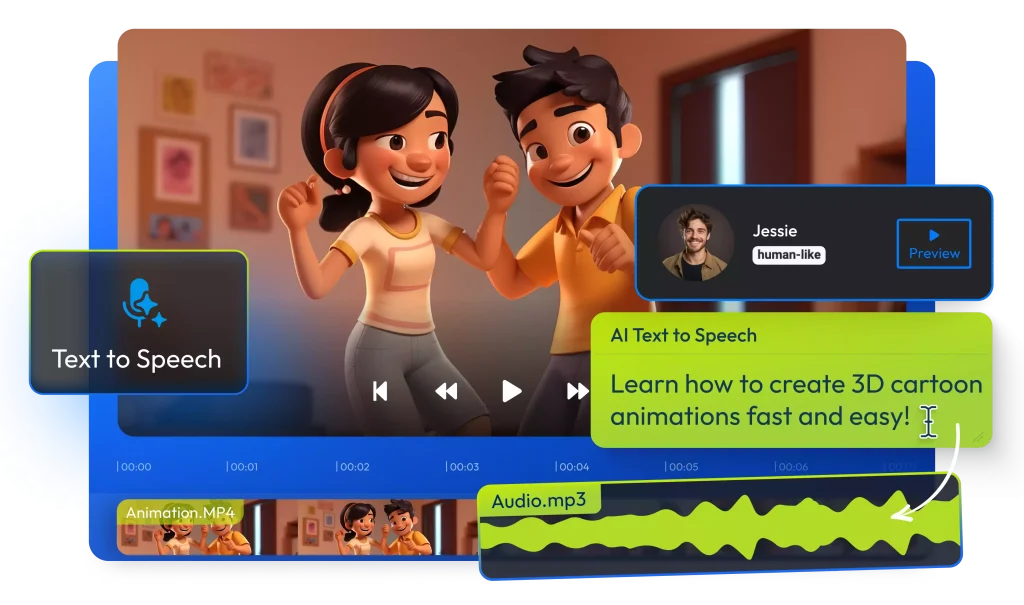
Artificial intelligence (AI) has made huge leaps in turning simple ideas into moving pictures. Just a few years ago, generating realistic video required cameras, actors, and editing skills. Now, with advanced AI models, you can type a text prompt — like “a cat walking through a futuristic city at night” — or upload a still photo, and the system produces a short video clip that matches your description. This technology works by combining language understanding, visual knowledge, and motion prediction into one process. Modern tools generate video clips that include smooth motion, consistent object identities, and vivid detail — all from words or images you provide. These systems are powerful enough that major AI companies roll them out in apps and web tools so creators can explore ideas, animate photos, or experiment with visual storytelling without traditional video skills. This shift means dynamic video content creation is no longer limited to professionals with cameras and editing suites — it’s now accessible to almost anyone with a clear idea and a prompt.
The Core Concept: Text-to-Video = Text-to-Image + Time
At its heart, turning text into video is like turning text into images — with time added as a third dimension. Traditional AI image generators convert words into a single picture by interpreting the meaning of the text and then creating visual details that match that meaning. Video generation expands this idea by producing many images in sequence so that they form motion. In technical terms, a video is a sequence of frames (images) shown in rapid order, and AI must ensure these frames flow smoothly from one to the next rather than flickering or changing inconsistently.
To handle this, AI video models introduce temporal awareness — mechanisms that allow the system to learn how objects move, how light changes over time, and how scenes evolve. Instead of generating a static image, the AI builds a three-dimensional representation of the content where the third dimension represents time. This lets the model think about how things change, not just what things look like. By doing this, the AI can maintain consistent appearance (like the same person or object across frames) and generate believable motion based on the text description.
This core idea — using image generation methods and extending them into the time domain — is what makes modern AI video generation possible. Once an AI understands both what you want in your video and how motion should behave, it uses powerful neural networks to produce a video that looks natural and engaging.
Step One: Your Words Become a Storyboard
The first part of making a video from text is turning your ideas and instructions into a structured plan the AI can follow. Think of this like a storyboard in traditional film production: a visual script that maps out what happens in each scene before a camera ever rolls.
When you type a text prompt — for example, “a fox running through a snowy forest at sunrise” — modern AI systems first interpret the language. This isn’t just reading the words; the AI breaks the prompt into data that represents subjects, actions, environments, and stylistic cues. It understands nouns (fox, forest), verbs (running), settings (snow, sunrise), and mood or style elements you include. That interpretation becomes the blueprint for what the video will include. The model uses natural language processing to encode this prompt into a numerical form that guides the rest of the generation process.
Many advanced tools also build an internal scene layout or “rough plan” before visualization begins. Some AI video platforms even allow creators to edit the storyboard on a timeline, control the sequence of events, choose scene durations, and adjust transitions — just like filmmakers do when planning shots. This structured approach helps the AI understand how key moments and camera directions should unfold, which leads to clearer and more coherent video output.
Because the quality of the final video depends heavily on how well the prompt is interpreted, precise, descriptive text often leads to better and more controllable output. Clear instructions about motion, camera behavior, and artistic style help the AI translate your vision into a visual sequence that truly reflects your intent.
Step Two: Noise, But Make It 3D
Once your prompt has been transformed into a kind of story blueprint, the AI begins generating the video itself. But this doesn’t start with images or frames — it starts with noise.
In AI generation, noise refers to random data that looks like static. Instead of beginning with a blank canvas, the model begins with a three‑dimensional block of noise where the dimensions are width, height, and time. Each point in this block corresponds to a pixel in a future video frame at a specific moment in time. This 3D setup allows the model to consider multiple frames at once, rather than generating them one after another.
The AI then uses a process called diffusion to gradually “denoise” this block. Diffusion models are trained to reverse the destruction of data — they learn how to reconstruct meaningful content from randomness. During generation, the model repeatedly cleans up the noise, adding structure and detail so that a coherent sequence of frames emerges. This iterative denoising is what creates the final shapes, colors, and motion in the video.
Because the noise includes the time dimension, this process doesn’t just make realistic images — it makes them flow together over time. Advanced models use spatial and temporal attention mechanisms that understand how objects and scenes evolve across frames. This means the AI isn’t simply stitching separate images together; it’s generating a unified video volume that respects motion, continuity, and object permanence.
This 3D noise strategy is a major improvement over earlier frame‑by‑frame methods. By treating time as a fundamental part of the generation process, the AI keeps movement smooth and predictable — so a running fox looks like motion, not a jarring flip between unrelated frames.
Step Three: The Temporal Layers (A.K.A. The Motion Brain)
After generating the rough video frames from 3D noise, the AI must ensure that objects, movements, and camera angles stay consistent across time. This is where temporal layers come into play. Sometimes called the motion brain, these layers specialize in understanding how things change from one frame to the next.
Temporal layers are part of the neural network that focuses on the time dimension. While regular layers handle spatial features like shapes, colors, and textures, temporal layers track motion patterns, continuity, and frame-to-frame relationships. For example, if your prompt describes a ball bouncing, temporal layers ensure that the ball moves naturally along a trajectory instead of teleporting or wobbling unrealistically.
These layers use a combination of attention mechanisms and motion modeling. Attention mechanisms allow the AI to focus on key moving objects while preserving background consistency. Motion modeling predicts how objects should move based on physics, context, or learned patterns from massive datasets of videos. This ensures that hair sways, water ripples, or cars accelerate in ways that feel believable to the human eye.
By combining these tools, AI video systems create smooth, continuous sequences. The AI doesn’t just generate individual frames; it builds a coherent video narrative where objects retain identity, scale, and position over time. This is essential for producing videos that viewers perceive as natural rather than disjointed or glitchy.
Step Four: Polish, Sharpen, Ship
Even after temporal layers create smooth motion, the initial video output often looks low-resolution or rough. The final step in AI video generation is about refinement and enhancement — making the video clearer, more detailed, and ready to share.
-
Super-Resolution: AI models upscale the video frames, adding detail and sharpness. This transforms blocky or blurry frames into crisp visuals suitable for display on modern screens.
-
Frame Interpolation: To make motion smoother, AI can generate additional frames between existing ones. For example, a 15-frame-per-second rough clip can be interpolated to 30 or 60 fps, making movements appear fluid.
-
Color Correction and Style Adjustment: The AI applies consistent color tones, lighting, and stylistic choices across frames to match the mood described in your prompt. This step ensures that sunlight, shadows, or environmental effects remain coherent.
-
Post-Processing Filters: Tools may use noise reduction, edge refinement, or detail enhancement to improve visual clarity and realism. Some platforms allow creators to apply cinematic effects or artistic filters.
-
Export and Compression: Finally, the polished video is compressed for delivery without losing quality. It is now ready to be uploaded, shared, or integrated into other projects.
Together, these steps ensure the AI-generated video is smooth, visually appealing, and professional-looking. While the raw generation handles the creative translation from text or photo, polishing ensures the video is practical and watchable — bridging the gap between AI’s imagination and what viewers see.
But Wait: What About Image-to-Video?
AI doesn’t just turn text into video — it can also animate still images. This process starts with a single photo, then uses AI to predict how elements in the image should move over time. For example, a static picture of a person can be animated to make them blink, smile, or turn their head, while a landscape photo could show flowing water, waving trees, or moving clouds.
The process begins by encoding the image into a numerical representation that the AI can understand. This encoding captures all the details of the original image, including textures, colors, shapes, and spatial relationships. Then, based on your instructions, the AI generates motion vectors — essentially a plan for how pixels should shift over time — while maintaining the original appearance.
Some image-to-video systems also allow style transfer, which means you can animate a photo while giving it a cinematic, cartoon, or artistic look. The AI ensures that the original visual identity remains intact, so a branded logo or character retains its design even as it moves.
This approach opens up creative possibilities for marketers, content creators, and storytellers. You can breathe life into historical photos, product images, or illustrations without needing a camera or video shoot. The result is a short, visually engaging clip that feels dynamic while staying true to the source image.
How the Major Tools Compare
Not all AI video tools work the same way, and choosing the right one depends on your goals. Here’s a detailed look at what differentiates them:
-
Text-to-Video Platforms
-
Focused on generating video directly from prompts.
-
Offer control over scene composition, camera angles, and motion cues.
-
Ideal for creators who want to turn stories into quick video drafts.
-
-
Image-to-Video Platforms
-
Designed to animate existing images while maintaining visual fidelity.
-
Best for creating motion from illustrations, logos, or photographs.
-
Often include style filters and motion presets for faster results.
-
-
Hybrid Tools
-
Some platforms combine text-to-video and image-to-video capabilities.
-
They allow inserting images into a text-driven scene or animating multiple photos in a coherent sequence.
-
Offer the most flexibility for mixed-content projects.
-
-
Differences in Quality and Speed
-
Some tools prioritize speed, producing short, lower-resolution clips quickly.
-
Others focus on high-resolution output, fine detail, and smoother motion, which may take longer to render.
-
Motion realism varies: advanced tools use temporal layers and frame interpolation for fluid animation, while simpler tools may produce slightly jittery movement.
-
-
Ease of Use
-
Beginner-friendly tools have guided prompts, presets, and minimal technical settings.
-
Professional-grade tools provide fine control over motion, lighting, and camera behavior, ideal for filmmakers or designers seeking precision.
-
Understanding these differences helps creators pick the right tool for their needs, whether that’s rapid content creation for social media or detailed cinematic projects. Each platform uses the same fundamental principles — noise, denoising, temporal modeling — but balances quality, speed, and control differently to suit various users.
The Practical Takeaway: Directing AI Like a Filmmaker
Using AI to generate video is not just about typing a prompt — it’s about thinking like a filmmaker. The more precise and cinematic your instructions, the better the results. Here’s what creators should keep in mind:
-
Be Specific With Your Prompts
-
Include not only subjects and actions but also camera angles, lighting, mood, and timing.
-
For example, instead of “a dragon flies,” say “a red dragon flies from left to right across a stormy mountain landscape, with sunlight breaking through clouds.”
-
-
Think in Key Frames
-
AI often builds videos by generating key frames first, then filling in motion between them.
-
Planning key moments like a director helps the AI produce coherent sequences.
-
-
Guide Motion and Camera Behavior
-
Words like zoom in, pan, rotate, follow, or slow motion help the AI understand how to animate the scene.
-
Using these terms consistently makes movement more natural.
-
-
Iterate and Refine
-
The first AI-generated video may not be perfect. Refining prompts, adjusting parameters, or combining multiple outputs often produces the best results.
-
Experimenting with style, frame rate, and scene length helps tailor the video to your vision.
-
-
Combine Tools Strategically
-
Text-to-video tools are ideal for creating a full scene from scratch.
-
Image-to-video tools work best when animating logos, characters, or backgrounds.
-
Using both together allows hybrid scenes with consistent motion and high visual quality.
-
By approaching AI as a creative collaborator rather than just a machine, you can turn ideas into professional-quality videos without the need for cameras, actors, or editing suites.
The Future Is Moving (Literally)
AI video generation is still in its early stages, but the future looks promising. As models become more powerful, we can expect:
-
Longer and More Complex Videos
-
Today’s AI mostly creates short clips. Tomorrow, it could produce full-length sequences with coherent storylines, complex camera movements, and multiple characters.
-
-
Real-Time AI Video Creation
-
Future tools may generate motion instantly, allowing creators to watch their ideas come to life live.
-
-
Interactive and Personalized Content
-
AI could create videos tailored to viewers’ preferences, generating unique endings or customized visuals for marketing, gaming, and education.
-
-
Integration with AR and VR
-
AI-generated video may merge with augmented and virtual reality, enabling immersive environments where users interact with AI-driven scenes in real time.
-
-
Democratization of Filmmaking
-
As AI tools become easier to use, anyone can create cinematic-quality content. This will expand creativity beyond traditional studios and empower independent creators worldwide.
-
AI is transforming how we imagine, produce, and experience video content. The combination of text understanding, motion modeling, and image-to-video technology means the future of video is not only automated but highly creative, interactive, and accessible.
Read More: How Agentic Shopping Is Changing Product Discovery and eCommerce


